

Ask the claim file. Check every line.
A notebook holds the papers behind a claim: the loss adjuster’s report, the photos, the policy wording and the correspondence. Ask it a question in plain words. Every sentence of the answer links to the page it came from, and where two papers disagree, both are quoted in their own words.

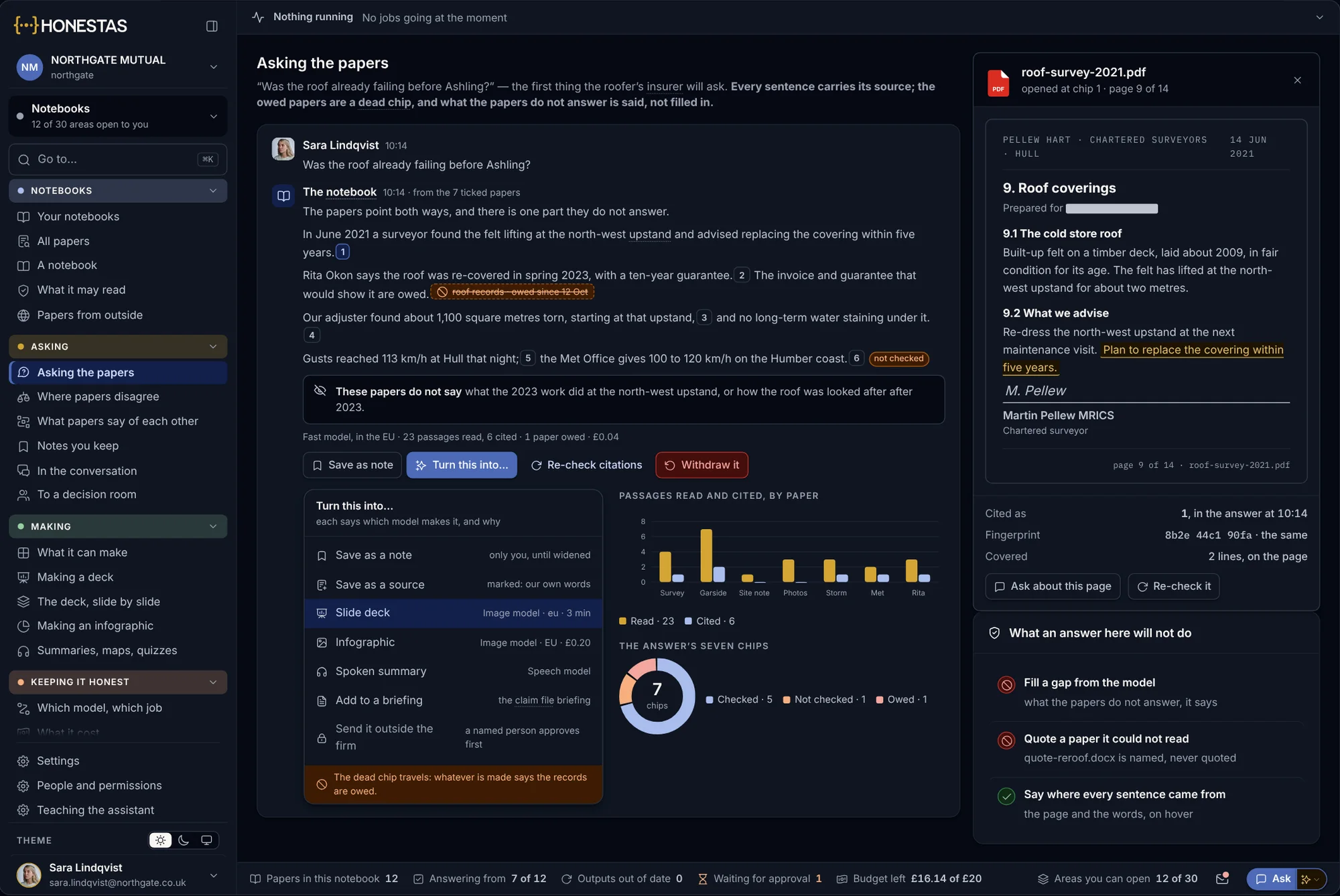
The whole file, with the pages open.
A notebook sits on the claim. It reads only the papers you tick, and it is honest about the ones that are still owed.
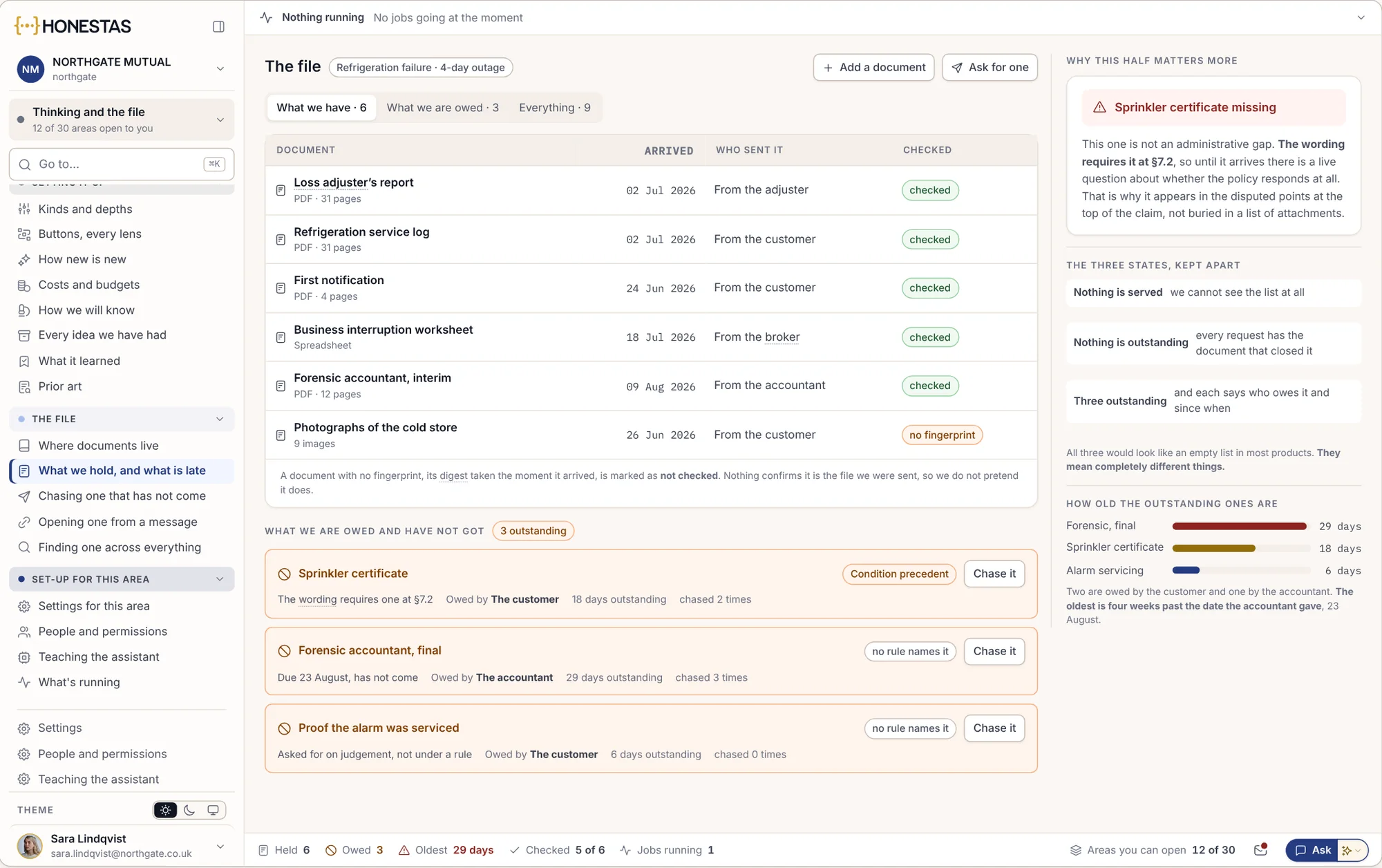
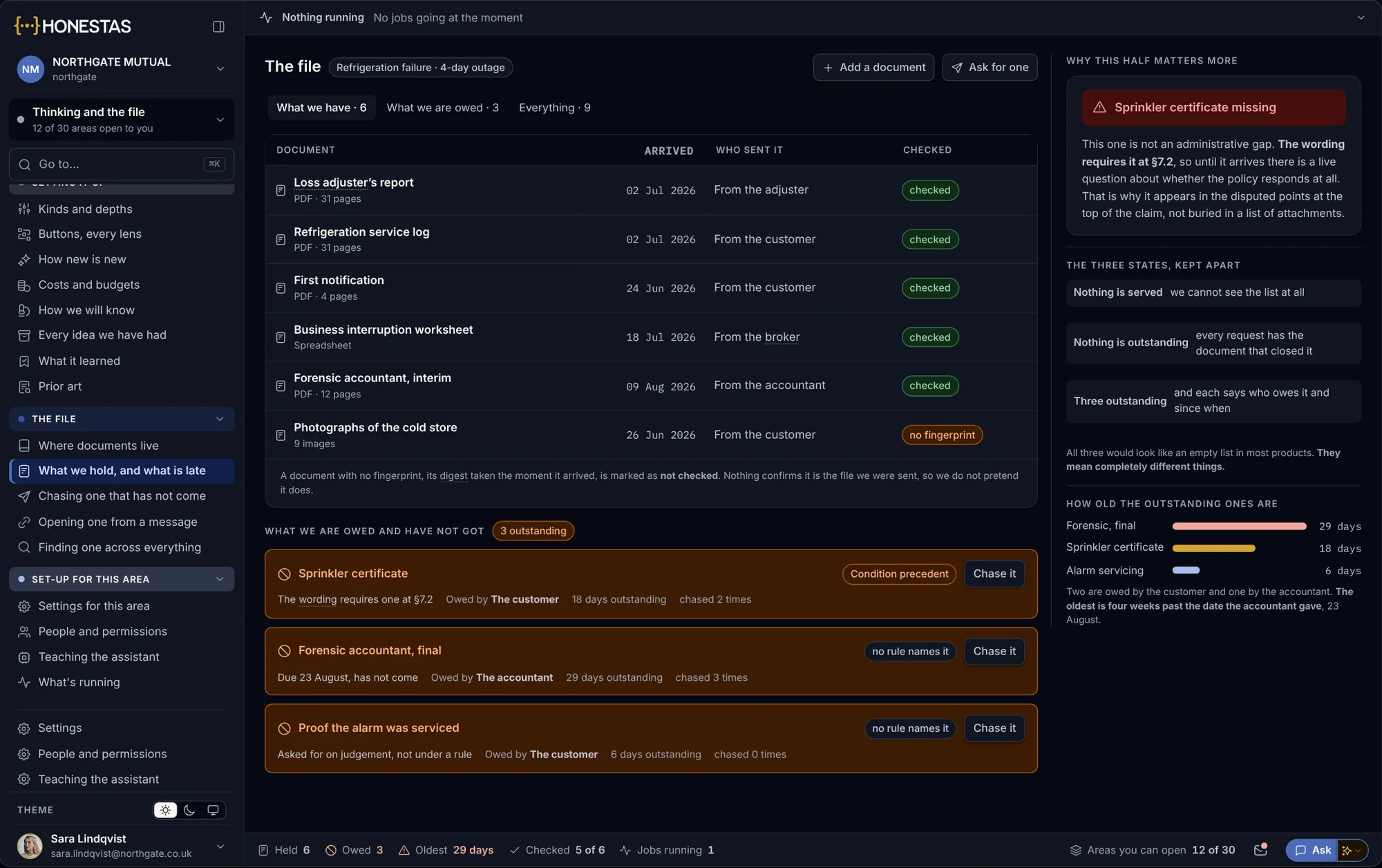
What we have, and what we are owed
Both halves of the claim file in one view: the papers received and checked, and the ones still owed, with who owes them and for how long.
- A paper with no fingerprint is marked not checked
- Owed papers chased from the file
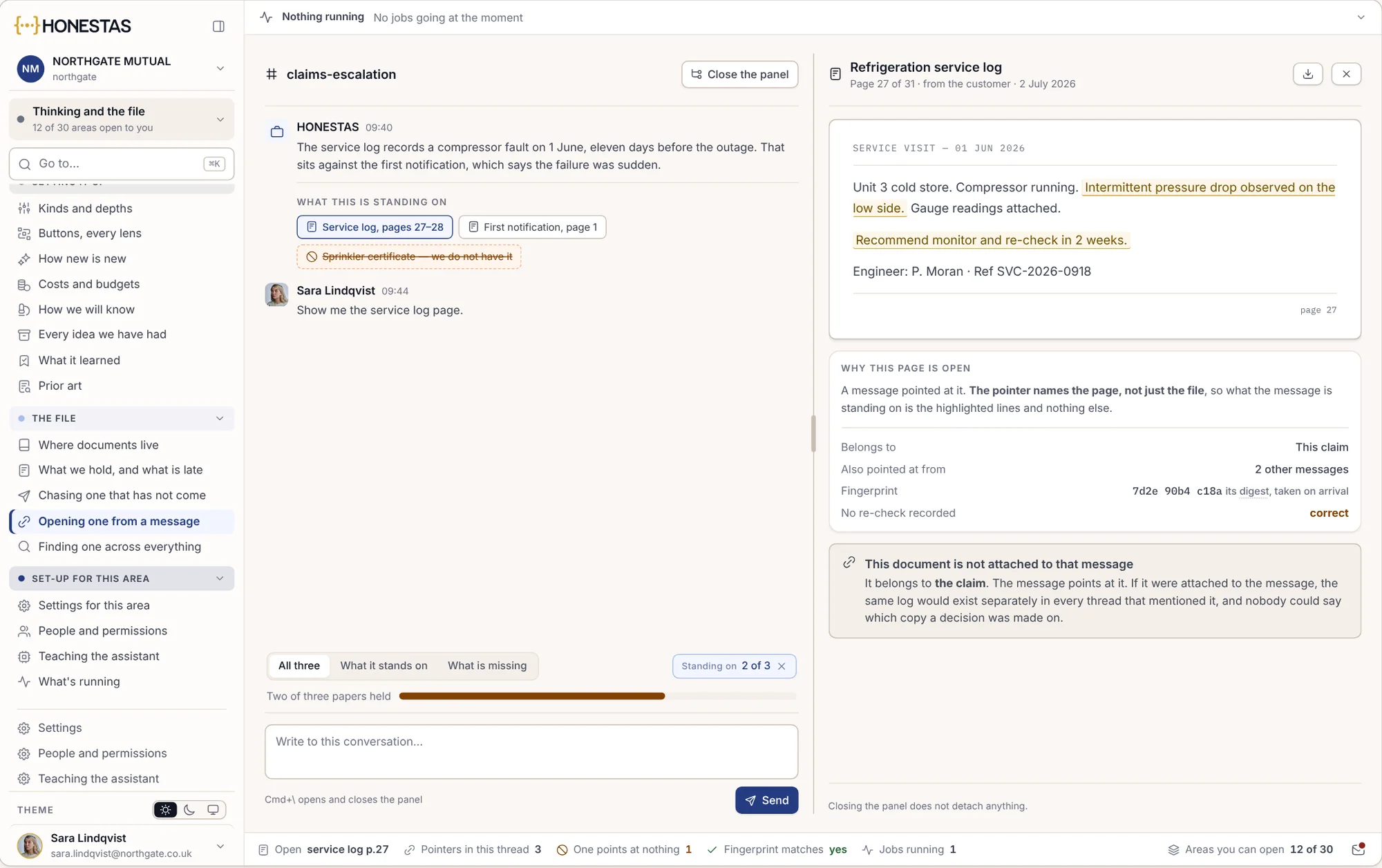
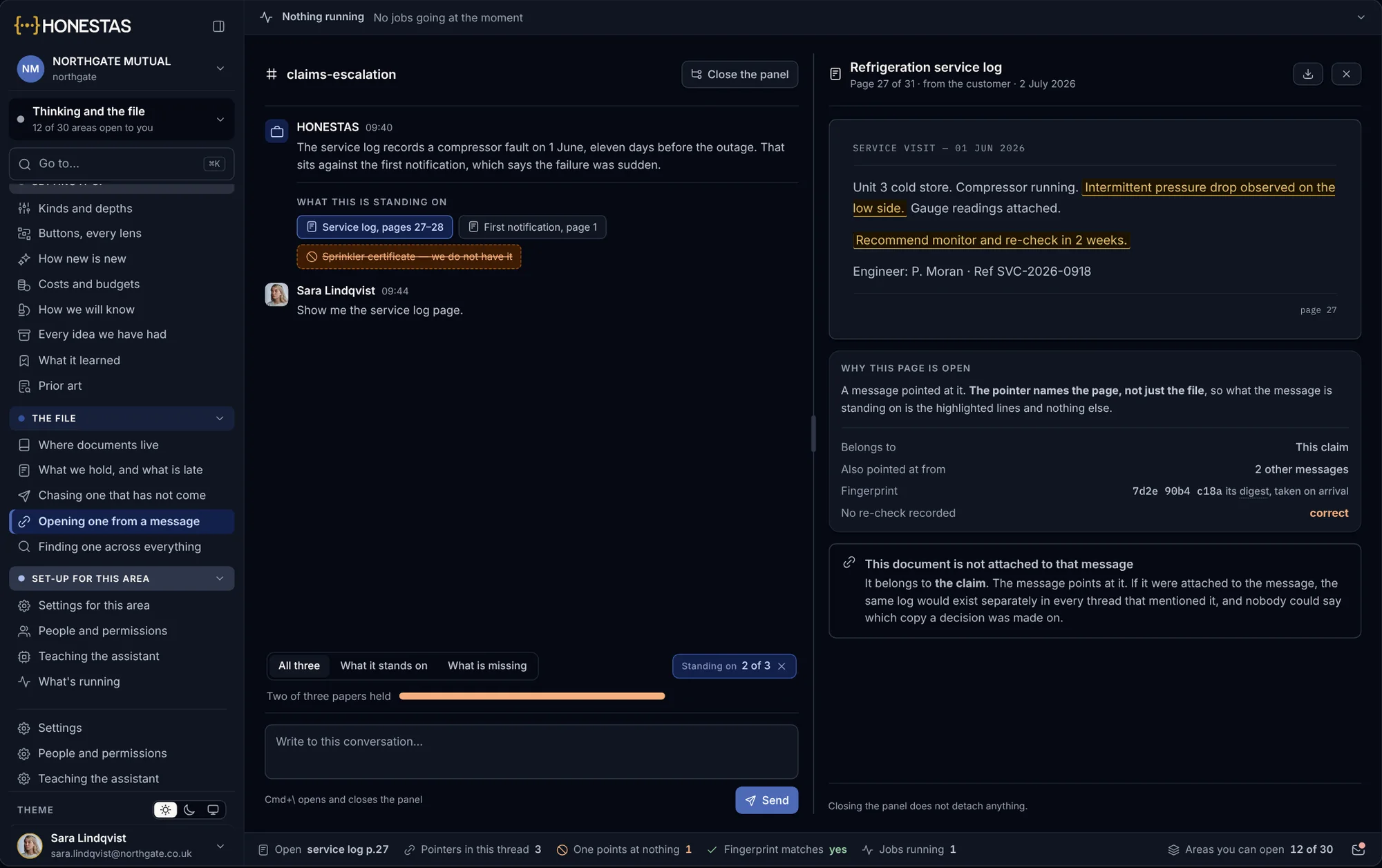
The exact page a message rests on
Open a pointer from a message and the page opens beside it, with the lines it rests on marked. The paper stays on the claim. The message only points at it.
- The exact page, not the whole file
- One copy of each paper, on the claim
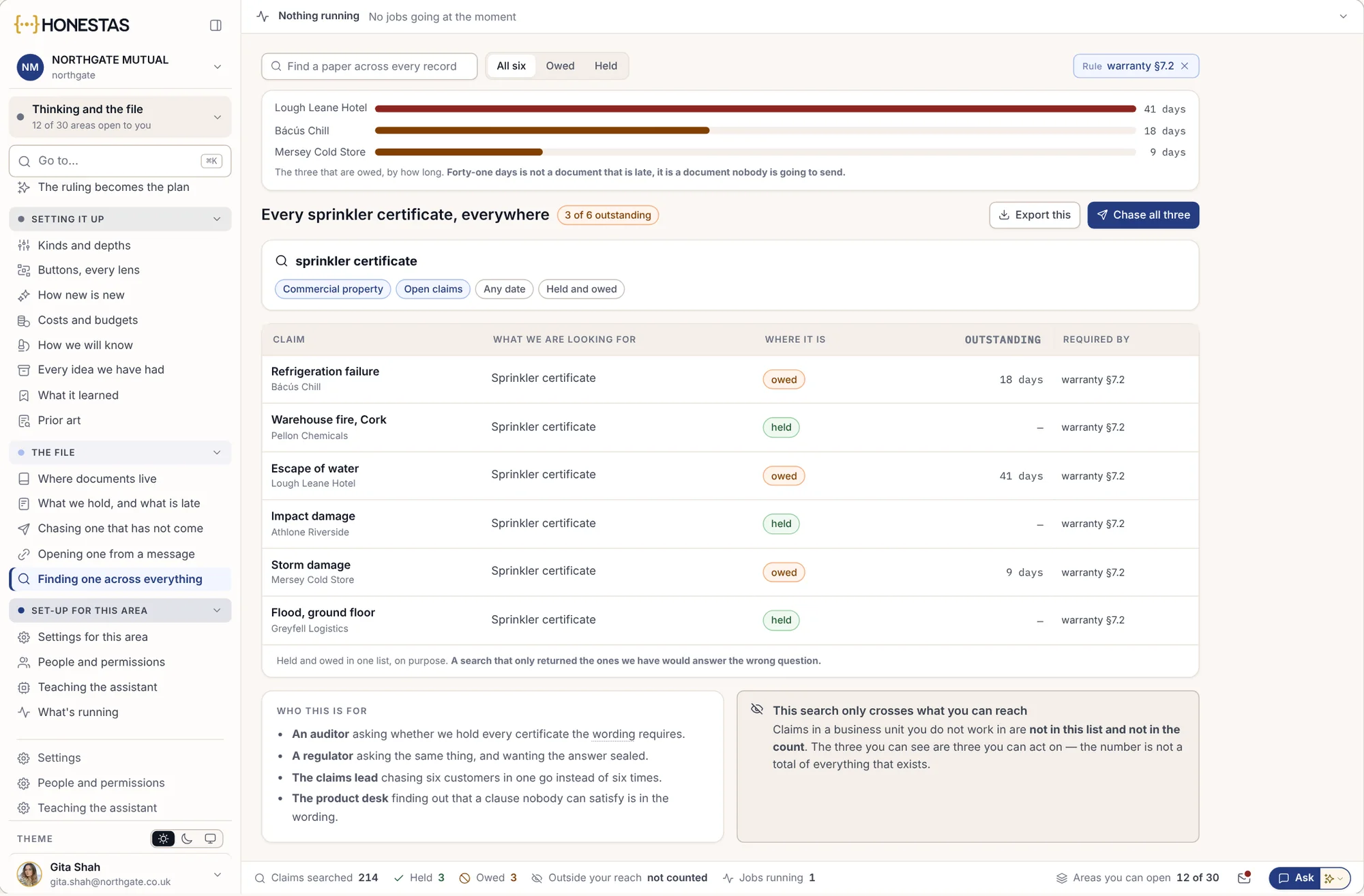
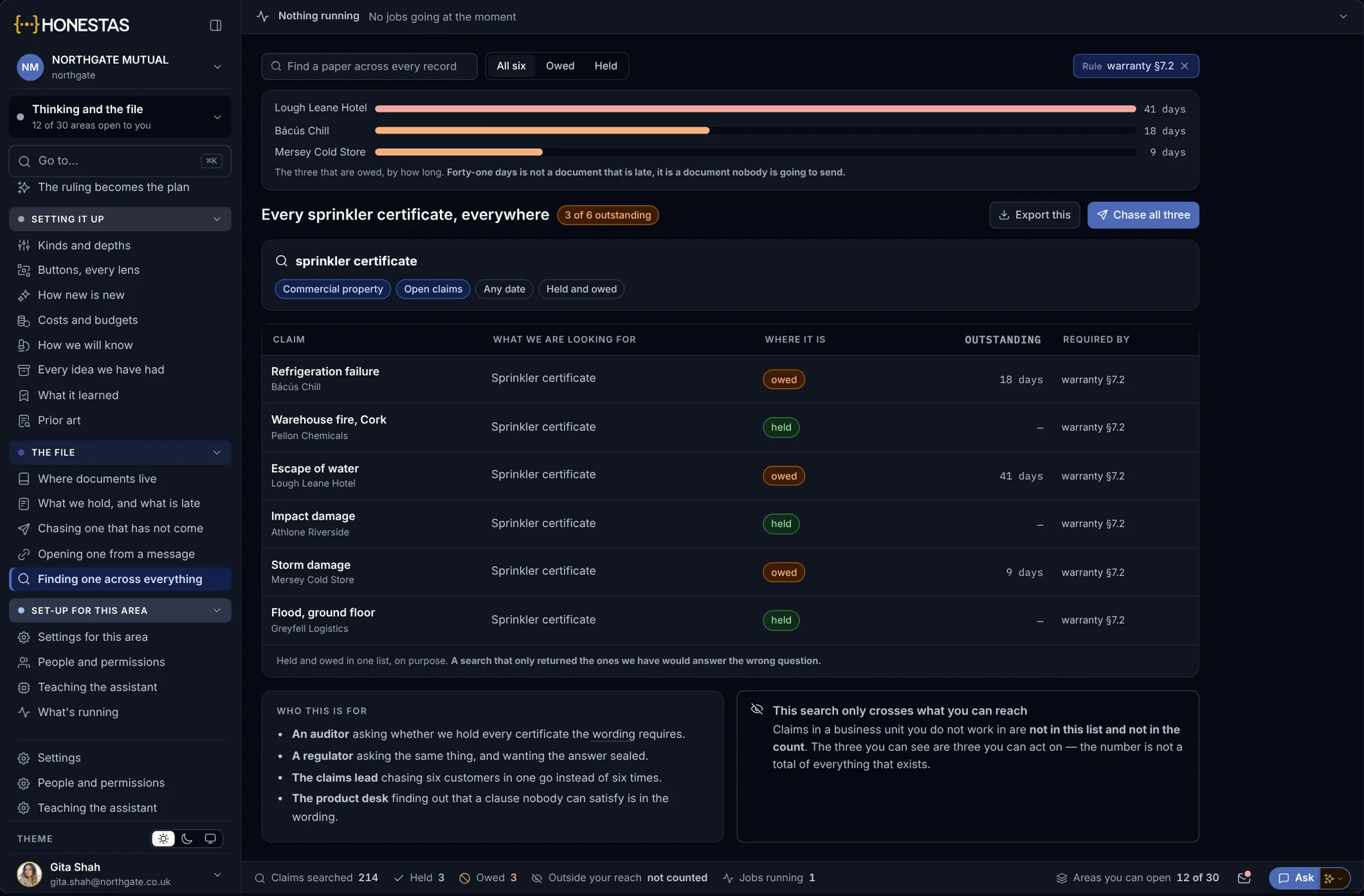
One question, every claim file
Ask once across every claim you can reach, such as which files still owe a sprinkler certificate, and for how long.
- Held and owed in one list
- Only the claims you may open
Four steps, from papers to a page you can check.
Tick the papers
The adjuster’s report, the photos, the wording and the letters. Only what you tick is read.
Ask in plain words
“What happened to the roof, in order?” The question is kept with the answer.
Check each sentence
Every sentence carries a number. Point at it to see the words on the page, or open the page itself.
Make something from it
A note, a briefing, a letter or a deck. It keeps the pages it cites and is filed to the claim.
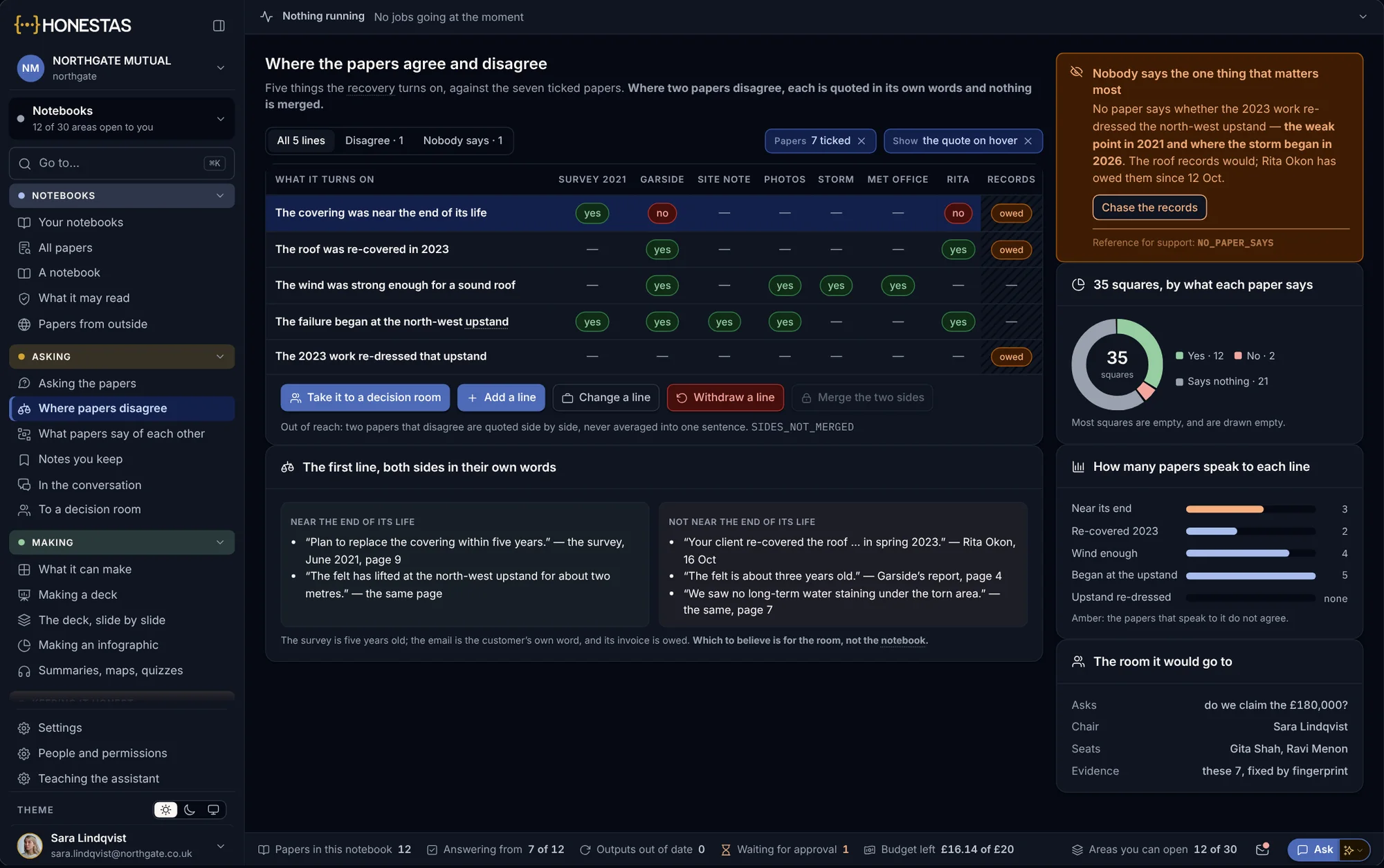
Two papers disagree. Both are quoted.
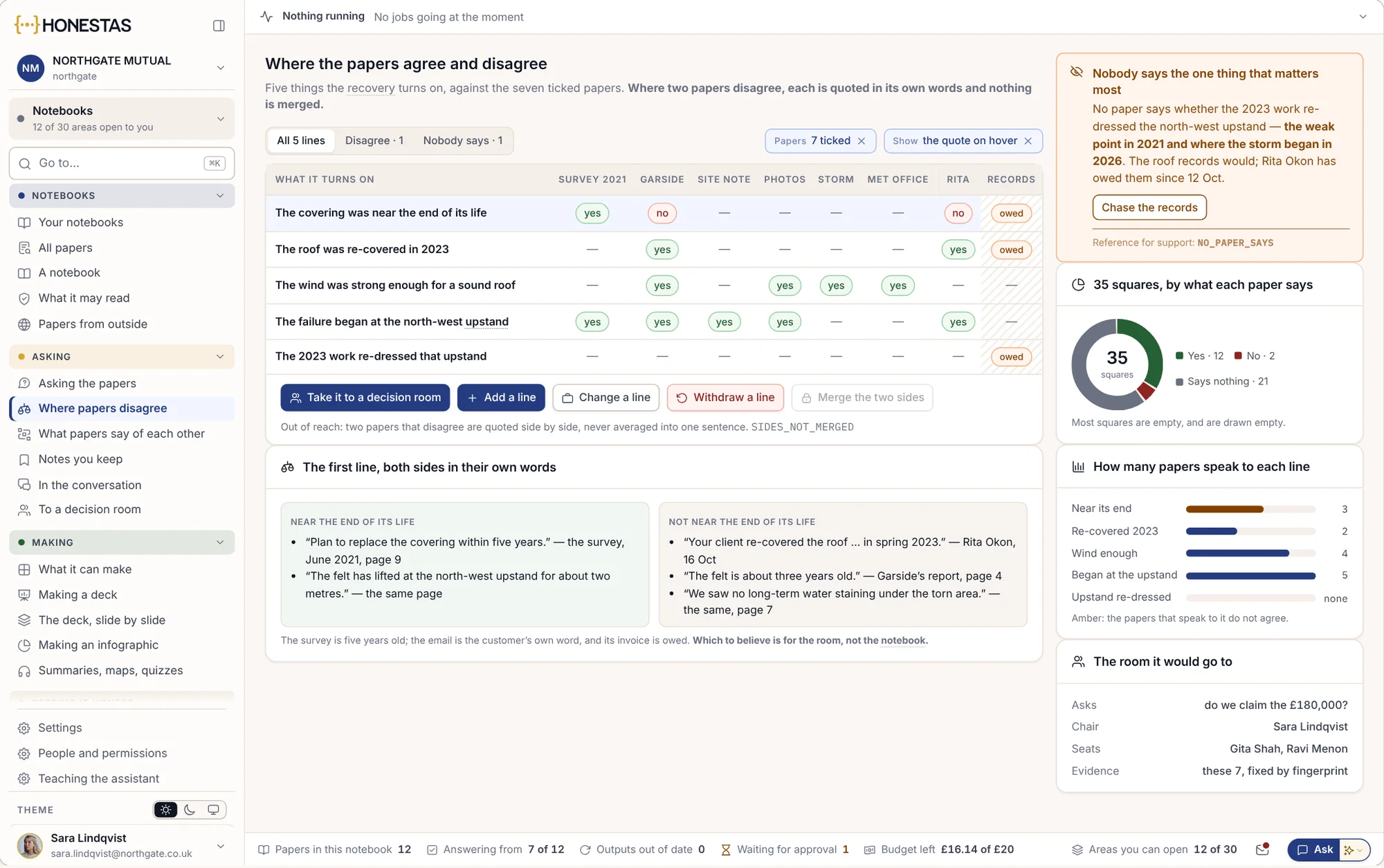
The notebook sets the points a claim turns on against each paper: which support it, which contradict it and which say nothing. Where two papers disagree, each is quoted in its own words. Nothing is averaged into one comfortable sentence.
- Each point, paper by paper
- Both sides quoted, side by side
- What no paper says, shown as a gap
- Taken to a decision room with the papers fixed
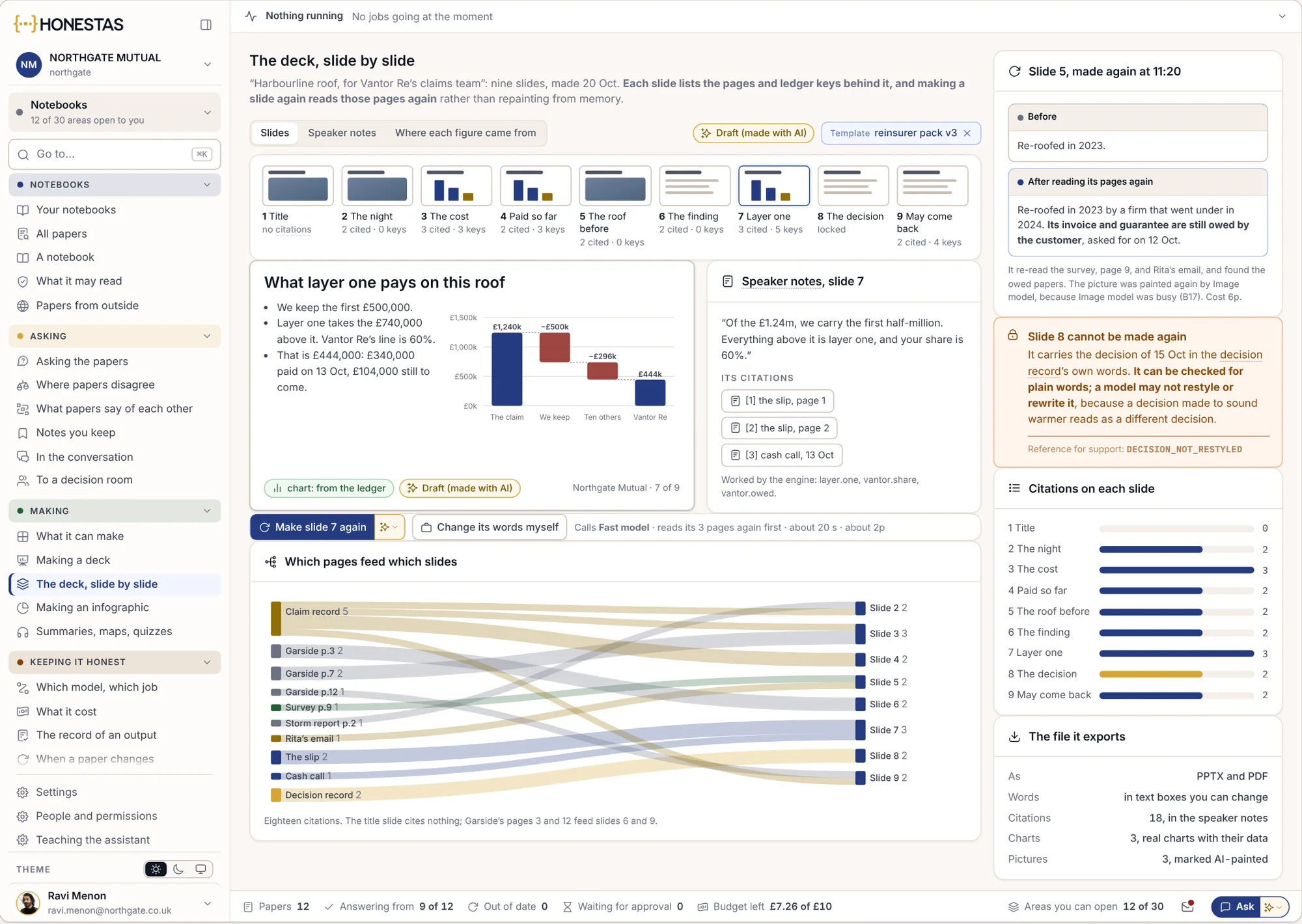
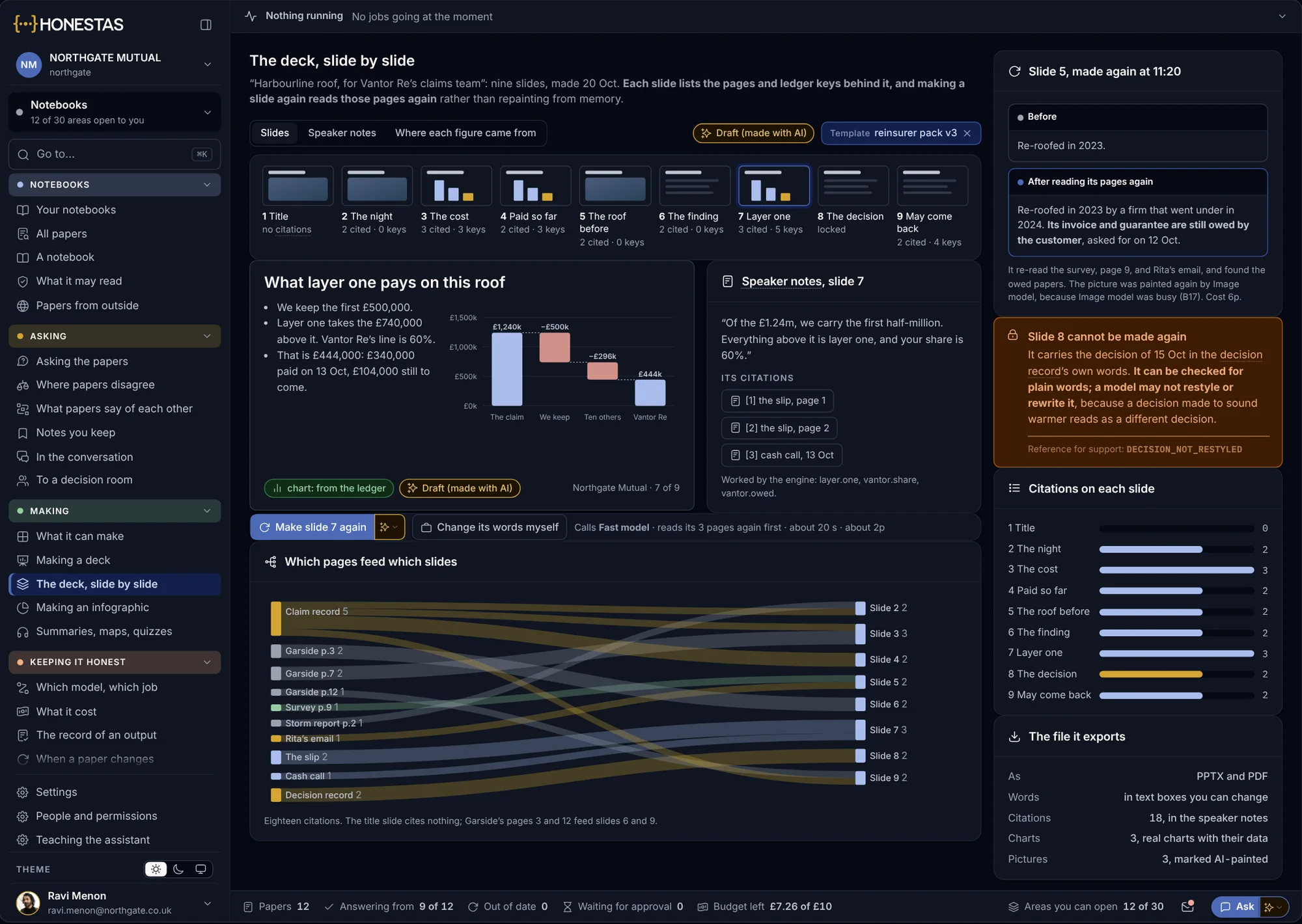
What it makes is filed to the claim.
A briefing, a deck or a letter made in a notebook keeps the pages it cites and goes into the claim’s record. When a paper changes, everything that rests on it is marked out of date and can be made again from the new pages.
- Each slide tied to its pages
- A slide that carries a decision keeps its exact words
- Marked out of date when a paper changes
- Approved by a named person before it leaves the firm
About notebooks.
Which papers can a notebook read?
Only the ones you tick, and only those you are allowed to open. Legal advice and other locked papers are never read, and the notebook says so.
What if the papers do not answer the question?
It says so. A gap is shown as a gap, and the notebook never fills it from the model.
What happens when two papers disagree?
Both are quoted in their own words, side by side. Which one to believe is for the handler or the decision room to decide, not the notebook.
What if a paper changes after an answer?
Each paper is fingerprinted when it arrives. If it changes, every answer and output that rests on it is marked out of date.
Where does it run?
In our EU cloud or your own data centre, with models in the regions you allow. Each output shows which model made it and what it cost.
Go deeper
Bring one claim file.
We will load its papers into a notebook with you and ask the questions your handlers ask every day.